Key takeaways
- The [[Version control workflow|workflow]] is great for a release-based software workflow.
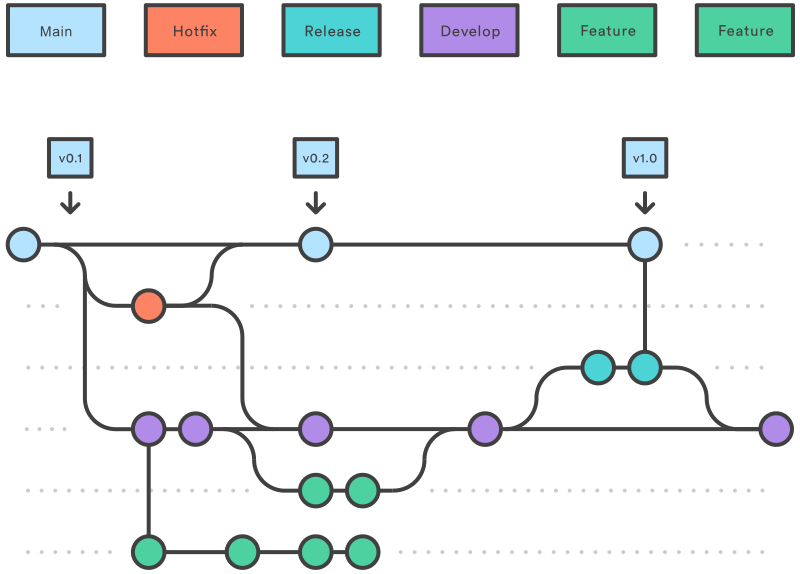
- Gitflow offers a dedicated channel for hotfixes to [[Production environment]].
The overall flow of Gitflow [^1]
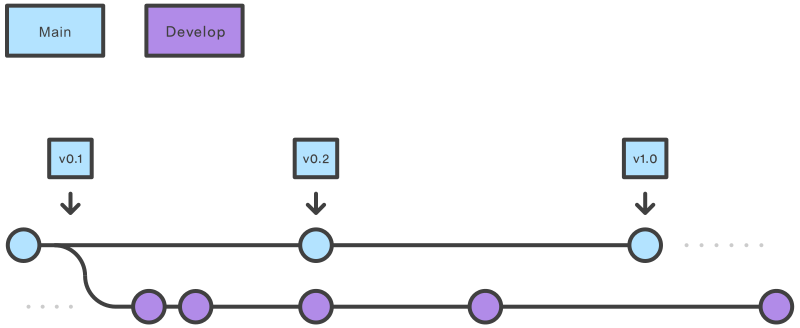
1. A `develop` branch is created from `main`
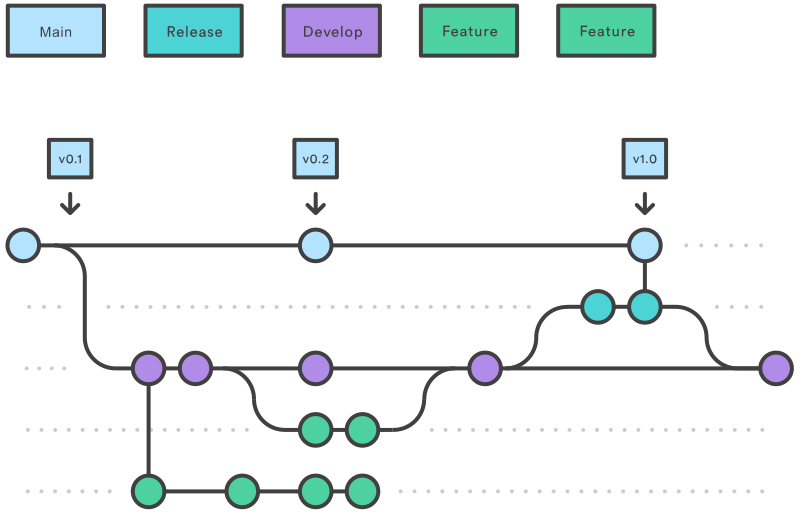
2. A `release` branch is created from `develop`
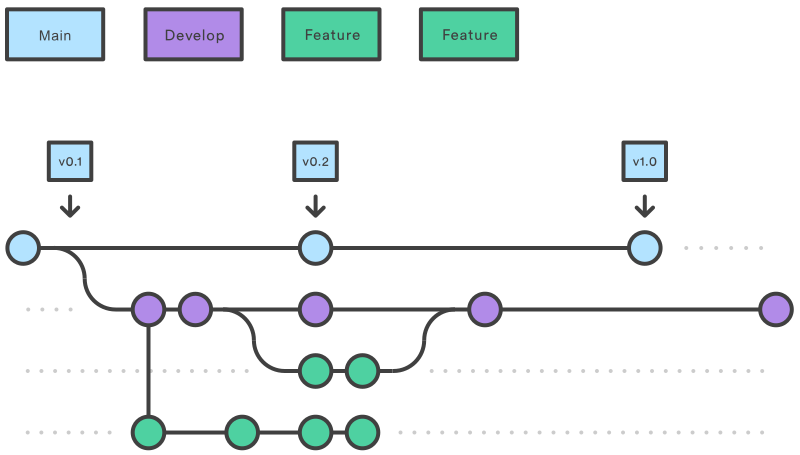
3. `Feature` branches are created from `develop`
4. When a `feature` is complete it is merged into the `develop` branch
5. When the `release` branch is done it is merged into `develop` and `main`
6. If an issue in `main` is detected a `hotfix` branch is created from `main`
7. Once the `hotfix` is complete it is merged to both `develop` and `main`
## Main & develop
- `main` - branch stores the official release history
- `develop` - serves as an integration branch for features
![[Use Tags for Releases]]
## Feature branch
```bash
# creating
git checkout develop
git checkout -b <feature_branch>
# finishing
git checkout develop
git merge <feature_branch>
```
## Release branch
```bash
# start
git checkout develop
git checkout -b release/0.1.0
# ready to ship
git checkout main
git merge release/0.1.0
```
## Hotfixes
```bash
# starting
git checkout main
git checkout -b hotfix_branch
# merging
git checkout main
git merge hotfix_branch
git checkout develop
git merge hotfix_branch
git branch -D hotfix_branch
```
[^1]: https://www.atlassian.com/git/tutorials/comparing-workflows/gitflow-workflow